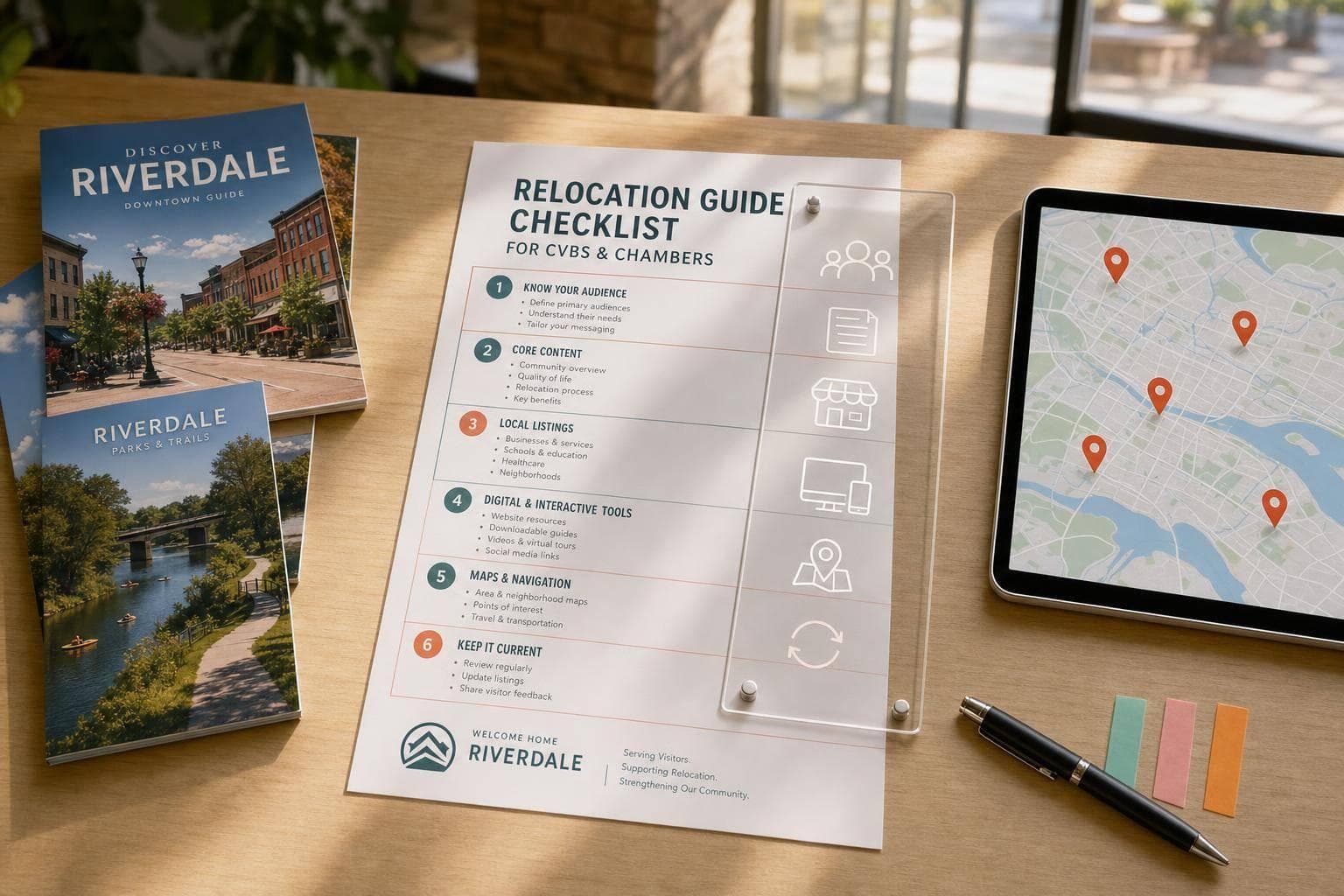
Relocation Guide Checklist for CVBs and Chambers
A relocation guide works best when it helps people decide, plan, and act. It should show what daily life is like, answer move-related questions, and put local businesses in front of people who are ready to spend.
Here’s the short version:
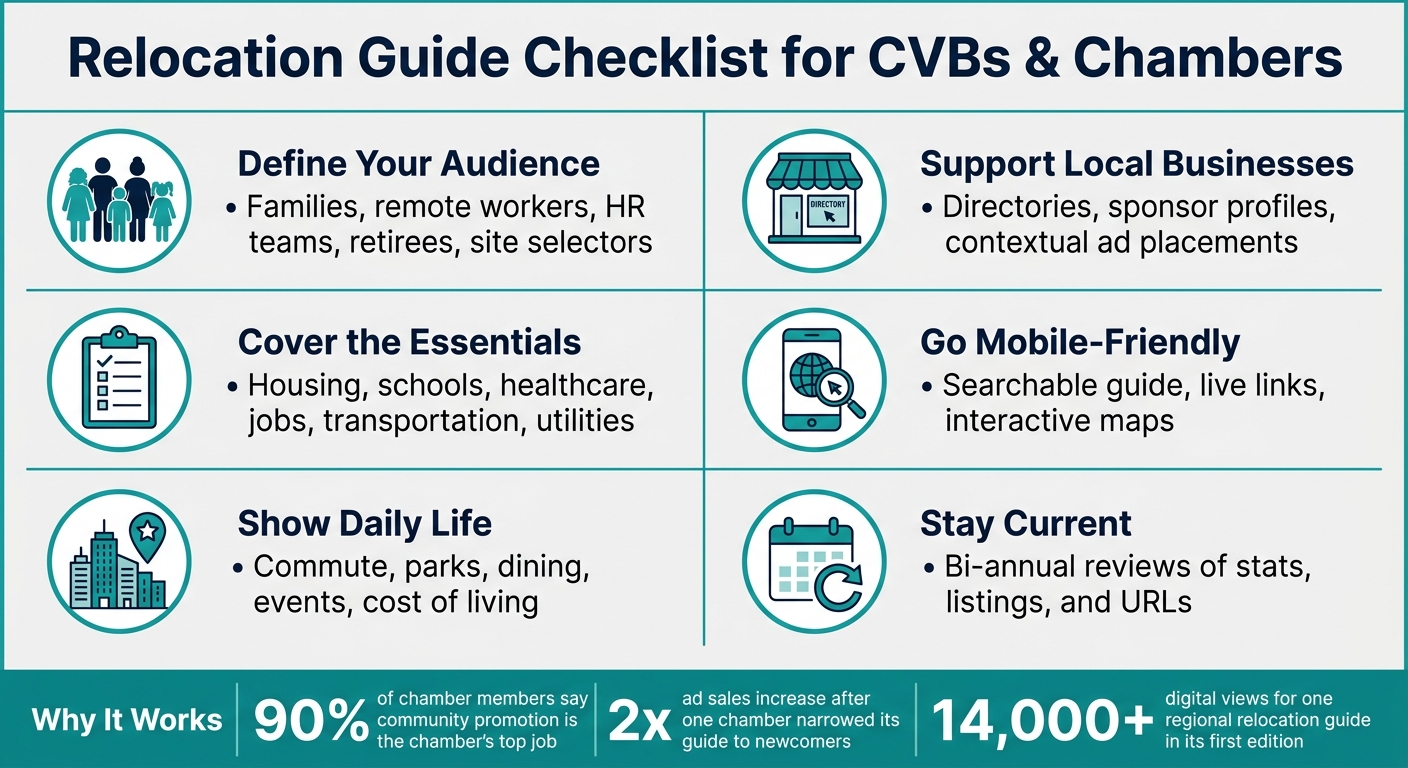
- Start with the audience: families, remote workers, HR teams, retirees, or site selectors
- Pick the format early: print, PDF, mobile-friendly guide, or a mix
- Cover the basics people need first: housing, cost of living, schools, healthcare, jobs, transportation, and utilities
- Make local listings easy to use: sort them by topic and place ads near related content
- Use digital tools: searchable pages, live links, and maps
- Set a review schedule: update fast-changing facts like rent, employers, and URLs at least twice a year
A few numbers show why this matters. In one survey, 90% of chamber members said community promotion was the chamber’s top job. One chamber doubled ad sales after narrowing its guide to newcomers. Another regional relocation guide reached 14,000+ digital views.
Relocation Guide Checklist: What Every CVB & Chamber Must Include
Quick comparison
| Area | What to include | Why it matters |
|---|---|---|
| Audience | Clear reader group | Shapes the guide’s tone, topics, and format |
| Core info | Housing, schools, healthcare, jobs | Helps people compare places and plan a move |
| Daily life | Commute, parks, dining, events, utilities | Shows what living there looks like |
| Business visibility | Directories, sponsor profiles, maps | Puts member businesses where readers are already looking |
| Digital access | Mobile-friendly guide, search, links | Makes the guide easier to use on any device |
| Updates | Twice-yearly checks for facts and links | Cuts down on old or wrong information |
If I were building or reviewing a guide, I’d use this checklist as a simple standard for content, sales, and updates.
sbb-itb-909066b
Checklist: Core information every relocation guide should include
This section covers the core facts newcomers need to compare, plan, and move.
Community overview, housing, and cost of living
Start with a short community overview that explains the area's character, history, and main draw. The Colorado Springs Relocation Guide does this well with a "Find Your Neighborhood Fit" tour. It helps newcomers picture life in different parts of the city instead of reading a flat summary.
Then shift from story to side-by-side facts people can use. Include home prices, rent ranges, and a cost-of-living breakdown with property taxes, utility bills, and common household expenses in U.S. dollars. If your digital guide supports it, add a cost-of-living calculator so users can compare their current city with the new one. That makes the guide more useful in a practical way.
Schools, healthcare, employers, and local services
Cover the basics people often need before they move:
- K–12 public school districts, private schools, preschools, and nearby colleges or universities
- Hospitals, urgent care centers, major health systems, and specialty care such as senior care, rehabilitation, or behavioral health
- Top employers, leading industries, and job help like job boards, coworking spaces, SCORE chapters, and local economic development groups
For employers, don't stop at vague claims. Name names. People want to know who hires in the area and what kind of work is common.
The Greater ROC Relocate Guide connects schools, employers, and regional data to workforce goals. Its first edition drew more than 14,000 digital views between 2024 and early 2026. That number says a lot: people are actively looking for relocation content organized by region.
Transportation, amenities, and newcomer resources
Once you've covered schools, healthcare, and jobs, move into day-to-day living. Include major highways, common commute times, and public transit options. Then shift into lifestyle: parks, trails, restaurants, arts venues, and annual events. Charlotte's newcomer magazine is a good example of how to bring together jobs, utilities, schools, and local life in one guide.
End this section with a move-in checklist. This is where many guides can help the most, because small tasks after the move often cause the biggest headaches. Spell out items like:
- Driver's license transfer
- Vehicle registration
- School enrollment
- Utility setup
- Trash and recycling contacts
Use the same format for every market so updates stay fast and consistent.
Checklist: How to organize listings, ads, and partner visibility
With the core content in place, build monetization around the sections readers already use. That’s the simple part many guides miss.
Place ads and listings where they match the topic on the page. If someone is reading about neighborhoods, real estate ads fit there. If they’re looking at healthcare, health system ads belong beside that section. And if they’re comparing costs, financial services ads make sense next to cost-of-living content.
The goal is to make each placement feel deliberate, not random. Before you sell anything, map each sponsor spot to the topic the reader is already looking at. That way, the ad feels relevant instead of forced.
Use directories and sponsored profiles to support local businesses
The San Luis Obispo Chamber of Commerce organizes its Relocation & Referral Guide by category and alphabetically, making it easy to use whether a newcomer knows what they need or is browsing by type. That setup works well because it serves both kinds of readers: the person with a clear goal and the person just looking around.
You can use the same idea for sponsored profiles. Place major employers and anchor institutions next to sections like "Working Here", where readers are already thinking about jobs and the local economy. Give those partners room to explain what they do and how they contribute to the local job market.
It also helps to connect each sponsored profile to related assets, such as:
- Maps
- Editorial pages
- The digital directory
Use the same setup in the digital version so listings, ads, and maps stay connected.
Checklist: Digital tools, maps, and publishing workflow
Once your listings and ad placements are set, the next job is simple: make sure the guide works just as well on a phone as it does in print. That’s where digital access, interactive maps, and a steady production process separate a guide people use from one that ends up forgotten in a drawer.
Add a mobile-friendly digital guide with searchable content
Make the digital version the main user experience. A useful digital guide should be mobile-friendly, searchable, and organized by category, such as healthcare, education, and utilities. That setup helps people find what they need fast instead of scrolling around and hoping for the best.
Live links matter too. They let readers jump from a listing straight to a website or contact page without typing in a URL by hand. Host the guide on your organization’s website so readers always reach the latest version. It also helps to use digital tools that make listings, sponsor content, and neighborhood details searchable in one place.
Lunar Cow Publishing’s GoGuide is built for this. It gives chambers and CVBs a mobile-friendly digital guide hosted on their site, with automatic updates and analytics. That tracking shows which sections get the most attention and which links people click most often.
Use interactive maps to help prospects evaluate neighborhoods and amenities
Next, help prospects see how each neighborhood connects to schools, employers, and day-to-day needs. A map can do in seconds what a long paragraph often can’t. It shows neighborhoods, housing choices, and nearby amenities at a glance.
Interactive maps with clickable neighborhood profiles, photos, descriptions, and proximity to schools, parks, and healthcare make it easier for prospects to compare options. When school zones, healthcare locations, major employers, parks, and commute routes all appear in one place, people can answer a lot of their own questions without making a single phone call.
Layered maps are especially useful here. Readers can switch categories on and off based on what they want to check, whether that’s schools, parks, or commute routes.
Lunar Cow Publishing’s iMap 3.0 provides mobile-friendly community maps hosted on your site. The City of Middleton used QR codes throughout its 2026 visitor guide to connect readers directly to digital trail maps and live event calendars.
Build a repeatable editorial, design, and update process
Once the digital experience is in place, standardize how content gets edited, checked, and updated. One of the biggest mistakes chambers and CVBs make is treating relocation guides like one-and-done projects. That’s a problem. A guide with old school ratings, closed businesses, or broken URLs can do more harm than help.
A bi-annual update schedule - refreshing statistics, listings, and URLs twice a year - keeps the guide credible and useful. Before each update cycle, verify every listing, statistic, and URL against the source. That means checking school information with the district directly and confirming employer listings with the companies themselves.
Accessibility basics matter as well. Alt-text on images and a defined reading order for screen readers are required, especially for public-sector organizations working toward WCAG 2.2 compliance.
Lunar Cow Publishing supports the full production cycle - from editorial and design through printing, business directories, community maps, and coordinated digital updates - so chambers and CVBs don’t have to manage each piece separately. Using one workflow for editorial, design, print, and digital updates helps keep every version current.
Conclusion: A relocation guide checklist that is complete and ready to use
A strong relocation guide should do a few simple things well. It needs to define its audience, cover what newcomers need first, support local businesses, and stay up to date. Use the checklist above to see if your guide checks all the right boxes.
When a guide is tightly focused, the payoff is easier to see. Plano doubled advertising sales after narrowing its guide to newcomers, and Hollywood earned a 17% return after mailing 10,000 copies.
That matters for leadership too. In one survey, 90% of chamber members said that "promoting the community" is the most important job their chamber should be doing.
"By providing support and connectivity early on in the relocation journey, we are helping to showcase the welcoming community we live in and foster deep connections – which are critical to ensuring we have the talent necessary to meet our economic, workforce, and community goals." - Bob Duffy, President & CEO, Greater Rochester Chamber of Commerce
Use this checklist for every new edition. Think of it as your day-to-day standard: part planning tool, part marketing tool, and part update-driven publication that helps newcomers, advertisers, and the community.
FAQs
Who should this guide target first?
First, focus on people and families who are thinking about moving to your community. They’re looking for plain, useful details about housing, schools, health care, and what it takes to get settled.
This content should also help employers that use these resources to bring in talent. Reaching newcomers early can make relocation feel less like a leap and more like a clear next step. It also supports local economic and workforce development goals.
How often should a relocation guide be updated?
Relocation guides are usually updated once a year so community details stay accurate and useful for newcomers.
Some groups update them every two years instead, depending on local needs and their plan. Either way, regular updates help keep the guide a trusted source for housing, local services, and economic data.
What format works best for a relocation guide?
A hybrid format usually works best: a downloadable or flipbook-style PDF for deeper detail, paired with an interactive digital version for updates, maps, and navigation links.
That gives you a polished resource you can email or mail, while your online content stays current. For a better user experience, use local photography that feels real and add QR codes to connect the print piece with the digital version.